
The Audacity program is one of the most popular audio editing programs currently, and its role is not limited to recording audio for computers with high quality only, but much more, it is a professional editor to acoustic all the meaning of the word. Featured in the program and before entering into the details is that it is free and open source, so you will be able to take advantage of all its features without restrictions or pay for its use. The software is also available to work on all Windows systems whether old or modern including Windows 10, as it is available on the Linux system and Mac system.

:Explanation of the program Audacity
As I mentioned, the program contains a lot of editing and edit tools, where you will be able to handle any audio file and make any modifications you want and easily. The program is simple because its operating interface is uncomplicated unlike other audio editing programs which mostly require courses to learn. Through the Audacity program you will be able to cut audio files, make ringtones, delete a certain part of the audio clip, and keep the rest of the file.
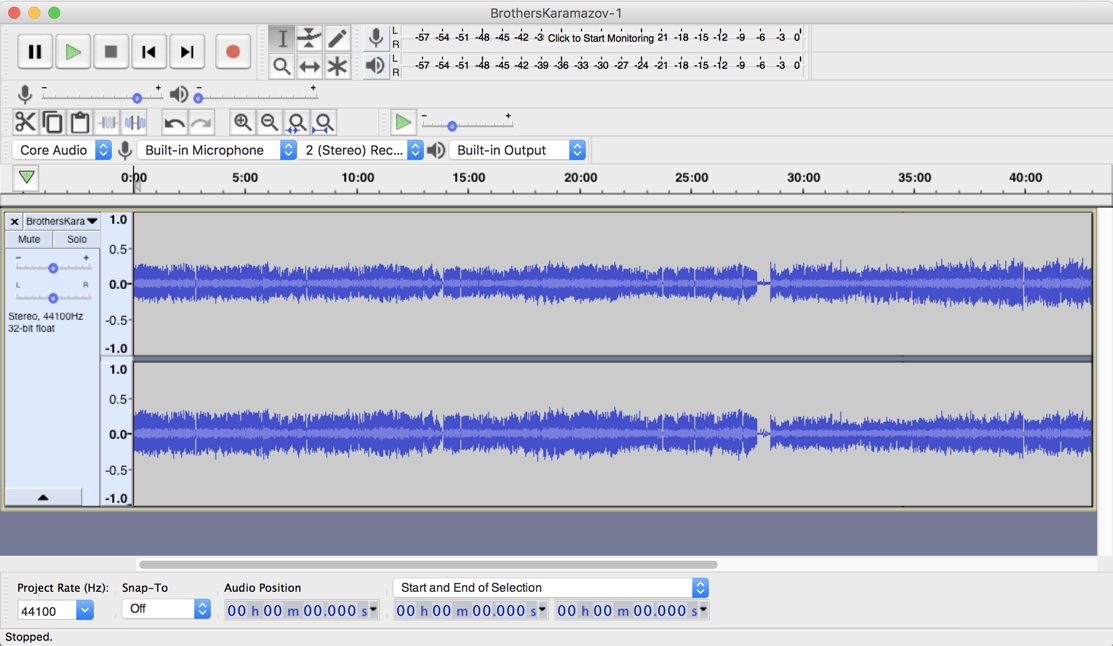
In order to be able to record audio with the program, all you need is a microphone connected to your computer, since the software allows you to record sounds through 2 audio channels, and then the possibility to edit the recorded audio file. The Audacity program lets you merge multiple audio files with each other in order to have a large audio file, with the ability to put sound effects on it like echo or you can use some filters to purify the sound if you wanted it, and then save it on your device.
:Explanation of audio recording using Audacity
As you mentioned, all you need is an external microphone connected to your device via USB slot. Before you run the program, you must connect the microphone first, and make sure the device recognizes it. Then run the program, then press the red Record sign and speak through the microphone normally. When you're done talking, press the stop button to stop recording. You can then listen to what you recorded by clicking Play. If you press the Record button again and the first file still exists, it will be recorded without affecting it while the first file is running, which is important for people who want to record a voice clip for them and at the same time there is music in the background.

If there is a portion of the audio file that you have recorded that you do not like or contains some errors or confusion, you can delete this part by selecting it with your mouse and deleting it. You will also be able to cut portions of the file or merge part of another section. If you want to have sound effects on the file, you can do so by pressing the effects menu and choosing the right effect for you. One of the most important additions or effects in the list we will find Noise Removal and its usefulness is that it allows you to detach and remove the noise in the background, where this filter is used to easily purify the old sounds or the sounds recorded in the center of noise.
Download the software for Windows

Download software for Mac

Download the software to the Linux system
0 comments
Post a Comment