
In this article we will provide you with an explanation and review of the Gihosoft iphone Data recovery Free program used to recover deleted files for iphone and ipad devices of all kinds. Featured in this program is that it offers you a free retrieval service and simple and easy steps.


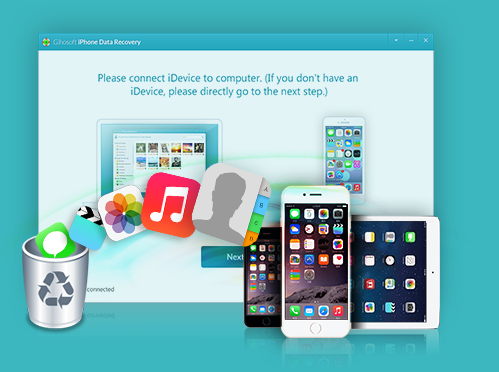
:Gihosoft IPhone Data Recovery Features
The advantage you will notice for the first time to use the software is that it is easy to use and uncomplicated, and the program is able to recover all kinds of files deleted from the phone whether these files are images, videos, Office documents or audio files. Through the program, you will also be able to recover deleted SMS messages from iphone, WhatsApp, Viber and others.
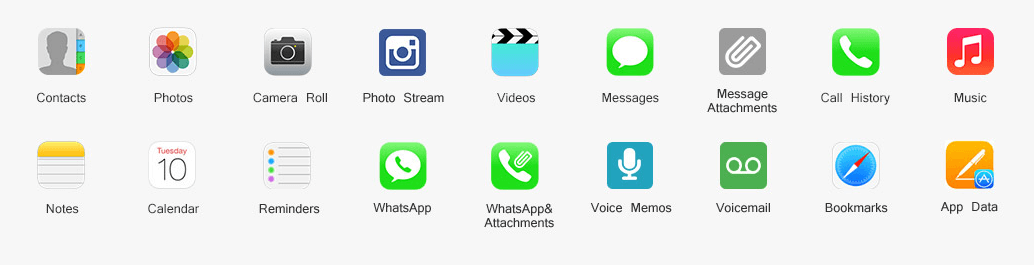
The program has the ability to retrieve the iphone call history, notes on the notes and bookmarks of the Safari browser, and you can recover deleted names and message attachments that you accidentally deleted. The image above shows you what the program can retrieve again. For compatibility, you'll find that the software works on all iphones from iphone 3GS to newer versions, and the software supports all ipad devices including: ipad Pro, ipad Air 2 and ipod Touch 6/5/4.
:How to recover deleted files
In the beginning you will need to download the software on your device whether it is a Windows computer or your Mac through the links you will find below this article. After downloading the software, install it on your device, and then run the program. You will then see the main program interface as the following image. Now all you need to do is decide what you want to retrieve, so if you want to retrieve deleted photos and videos from the iphone, you can select Photos & Videos and select the options below. You can also select the rest of the options, such as Messages & Call Log, and so on. Then you will click the Next follow-up button at the bottom of the program.

The next step is to connect your iphone to your computer via USB slot, then press the Next button below. The default mode of the program Recover Data from IOS Device/ITunes Backup is as shown in the image.

The program will then perform a full-screen iphone connection to your computer to search for all deleted files, and wait until the scan is complete. After the scan is finished you will see the results as the following image in the form of a list, and there are sections of the left that are addressed by images, videos, messages, call logs, application messages, names, and others. All you have to do is review what is found and decide what you want to retrieve again on your phone.

After you select the files you want to retrieve again, you will press the Recover button at the bottom of the program to the right. You can also retrieve deleted photos and videos on itunes or through the Cloud ICloud service, so if you want to retrieve it through itunes, you will run the program and select the Photos & Videos check. Then you will click on view ITunes Backup, then choose only one file to scan as the following image, and then press the Next button.

Wait until the scan is finished, then select what you want to retrieve and press the Recover button. You can retrieve videos and photos with icloud as you mentioned above, you will run the program, select what you want to restore, choose icloud Backup, and then sign in with your Apple ID. Then you will select the Bak file August, press the Next button and wait for the results, and so on..

We have provided a full explanation of how the software is used to recover deleted photos and videos for iphone and all other file types. You can also take advantage of the Gihosoft Free Android Data Recovery program for Android phones, which comes with the same idea, and works on almost all Android phones.
Download Gihosoft iPhone Data Recovery Software:
The software is available for download through this page, where there is a copy running on Windows systems and another Mac version.

0 comments
Post a Comment